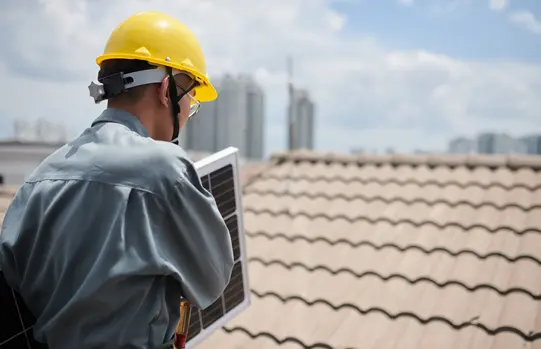
Roof inspection is a process that directly affects people’s safety, project costs, and the speed of decision-making. With drones and 3D mapping, it is possible to reduce work at height, detect issues faster, and create precise documentation without multiple site visits. In this article, we show why modern roof inspections based on spatial data are genuinely changing health and safety standards and cost optimization in the construction industry.
Would you like to see how, in practice, you can turn video footage into a clear 3D roof model, streamline communication with clients, and make decisions based on a single, shared source of data? Discover the capabilities of SkyeBrowse and see how modern inspections can start improving your results from the very first flight.
Why do drone-based roof inspections combined with 3D mapping genuinely improve health & safety and reduce costs?
Working at height has for years remained one of the most hazardous areas in the construction industry. Data from supervisory institutions such as OSHA consistently indicate falls from height as the leading cause of fatal accidents in construction, while European statistics (Eurostat) confirm that the construction sector has one of the highest shares of serious and fatal accidents in the EU. Every time a worker steps onto a roof, they are exposed to real risk—regardless of experience, weather conditions, or the type of roofing. Drone-based inspection fundamentally changes this model: people remain in a safe zone, while data is collected from the air.
From a cost perspective, traditional roof inspections generate several recurring issues that quickly add up within a project budget. Accessing the roof often requires scaffolding, lifts, or rope safety systems. This means additional equipment, logistics, and time. On top of that come labor hours spent on the roof itself, the risk of mechanical damage to the roofing caused by foot traffic, and downtime of the facility—particularly painful for factories and commercial buildings. Additional site visits are also common, often due to missing a single photo or measurement.
This is where 3D mapping becomes critical. A digital roof model allows teams to return to the data at any time and consult it with technical staff, investors, or insurers. As a result, the number of physical roof entries is reduced to an absolute minimum.
With SkyeBrowse, an inspection is no longer a one-off site visit but becomes a long-term data asset that supports the entire project lifecycle. Learn more: Skyebrowse.com.
In practice, the range of applications is very broad—from assessing the condition of roofing, chimneys, and metal flashings, through gutters, skylights, and PV installations, to documenting damage after strong winds or hailstorms. Increasingly, 3D models are also used as evidence for insurers or as a basis for fast, accurate repair cost estimates. The result? Less risk, less equipment, shorter project timelines, and significantly lower operational costs.
From flight to report – What does a 3D roof inspection workflow in SkyeBrowse look like?
The data workflow in SkyeBrowse is designed to minimize the gap between data capture and real business value. The core idea is simplicity: you record a video, upload it to the platform, and within a short time receive a 2D/3D model that you can work with—without installing complex software. This approach is especially appreciated by inspection teams and contractors who need fast decisions, not lengthy processing pipelines.
The data capture stage itself does not require advanced photogrammetry knowledge. It is enough to plan smooth flight paths at a safe distance from the roof, combining a short sequence covering the entire structure with close-up shots of details. In practice, it is worth dedicating separate passes to critical areas such as:
- roof valleys,
- flashings,
- roof plane joints,
- areas around chimneys,
- installation penetrations.
Different flight angles and altitudes improve the clarity of the model, which later translates into more accurate inspections and measurements.
Want to learn more? Check the article: Free drone mapping software – SkyeBrowse for beginners.
Once the footage is uploaded to SkyeBrowse, you enter a stage that fundamentally changes the day-to-day work of technical teams. The platform enables video processing and the creation of models used for fast roof inspections, including planned features such as Quick Roof Inspections & Measurements. This means you can verify dimensions, distances, and spatial relationships without returning to the site.
Equally important is the collaboration aspect. Instead of sending dozens of image files to a client or building manager, you can share a single interactive model. This format is easy to understand for non-technical stakeholders, facilitates discussions with insurers, and accelerates decision-making. SkyeBrowse supports standard sharing mechanisms, making the model a single source of reference for all stakeholders.
Starting your first inspection? It’s worth using the “Universal Upload” approach promoted in SkyeBrowse materials. The platform accepts footage not only from drones, but also from handheld cameras or smartphones. This lowers the entry barrier and allows you to test the workflow without additional hardware investment. This flexibility is what makes the journey from flight to report a fast, repeatable, and streamlined process—perfectly suited to modern roof inspections.
Also Read
- Marketing for Business Growth
- Making Eye Exams Smoother With Better Tech
- 🌟 Flavour or Flavor: Understanding the Correct Usage
