Investing in a prebuilt PC is a practical approach for many users, offering a blend of convenience and efficiency. Whether you are looking for a machine for gaming, professional work, or everyday tasks, the market offers a wide variety of options tailored to different needs. Choosing the best prebuilt computers for gaming and work can streamline your search for a reliable, high-performance system.
With an abundance of manufacturers and configurations, picking the right prebuilt PC can feel overwhelming. Understanding core components and carefully assessing your needs will ensure your investment delivers both immediate satisfaction and future readiness.
Assess Your Computing Needs
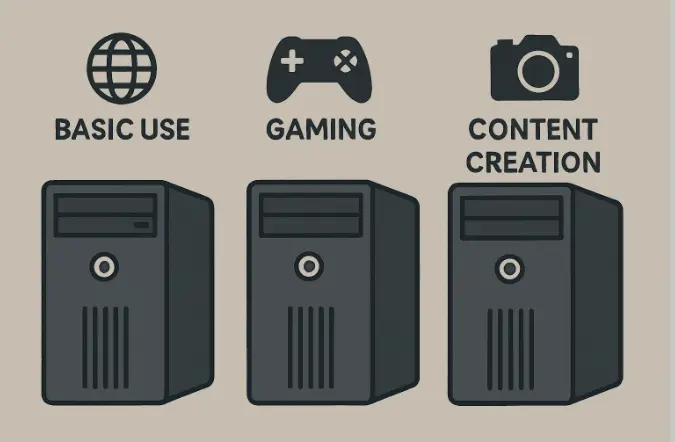
Before selecting a PC system, it is essential to define your specific needs. Prebuilt systems cater to a range of use cases, from basic tasks to professional workflows. For basic tasks like browsing and email, integrated graphics and entry-level processors with 8 to 16 GB RAM are adequate. Gaming requires higher performance, emphasizing dedicated graphics cards (e.g., NVIDIA GeForce RTX, AMD Radeon) and capable multi-core CPUs. Content creators should prioritize powerful CPUs, 16-32 GB RAM, and fast SSD storage to efficiently handle photo editing, video production, and 3D rendering. Professional applications may require specialized features such as ECC memory and discrete GPUs to ensure stability in software environments, underscoring the importance of understanding software requirements.
While reviewing potential purchases, it is crucial to ensure that the hardware specifications translate to real-world performance. Consider the environment and usage of the PC as well; if low noise is a priority, look for models with efficient cooling solutions, whereas aesthetic preferences might lead you toward options with RGB lighting or stylish tempered glass cases. Ultimately, the performance and design should align with daily needs and personal satisfaction in both work and leisure settings.
Evaluate Component Quality and Specifications
Every element in a prebuilt PC influences overall usability and future value. While headline features like CPU and GPU draw the most attention, other hardware like RAM, storage, and power supply units (PSUs) play significant roles.
- Processor (CPU): Opt for the latest available generation from trusted brands like Intel or AMD. For multitasking and demanding programs, a multi-core processor improves speed and responsiveness.
- Graphics Card (GPU): Gaming and creative applications require a dedicated GPU. Look for current models with established benchmarks in your intended uses.
- Memory (RAM): A minimum of 16 GB of RAM is recommended for most users, though heavy multitasking or creative work may benefit from 32 GB or more.
- Storage: SSDs provide quick boot times and data transfer speeds. If you need a large capacity for media or backups, supplement with an additional HDD.
- Power Supply Unit (PSU): A reliable PSU is essential for hardware longevity. Ensure the PSU has sufficient wattage and comes from a reputable brand, as identified by user reviews and independent tech sites.
Clarity about the brand and model of each component is important. Vague listings or undisclosed hardware versions can be a warning sign, indicating potential cost-cutting that may affect performance or future upgrades. Major publications like PCMag can help you verify specs and compare system performance.
Another factor when evaluating a prebuilt system is cooling and airflow. Even if you aren’t overclocking or pushing components to their limits, sufficient cooling extends hardware life and minimizes performance throttling. Check whether the case has adequate ventilation and whether the manufacturer includes enough fans, or if aftermarket options are available for cooling upgrades. A well-cooled system also protects your investment by preventing long-term heat-related issues.
Be Cautious of Proprietary Components
Certain brands include non-standard or proprietary parts, such as power connectors or case layouts unique to that manufacturer. While these designs can streamline support or reduce costs initially, they commonly pose obstacles when it comes time to swap or upgrade hardware. It is generally beneficial to choose systems offering standard components, ensuring a smoother upgrade experience and easier access to replacement parts if needed.
Understand Warranty and Support Options
Most reputable prebuilt PCs include warranties and technical support. Evaluate the specifics of these offerings, including what is covered, response times, and whether coverage extends to onsite repairs or parts replacement. Good manufacturers stand by their products, and comprehensive support can provide peace of mind.
Before purchase, consider whether the warranty covers shipping both ways and if there are authorized service centers nearby. Sometimes, support services offer remote diagnostics or scheduled technician visits, which can minimize your system’s downtime if issues arise. Having local support or reliable online assistance is an underappreciated value for long-term ownership, especially if you rely on the PC for your work or studies.
Consider Future Upgradeability
One drawback of many prebuilt PCs, especially compact or specialty designs, is reduced upgrade flexibility. Components such as motherboards, cases, and cooling solutions could use unique sizes or fittings. Before purchase, review which system components can be updated over time, such as additional RAM slots, extra storage bays, or PCIe expansion. Anticipating future needs can help you avoid replacing your PC sooner than expected.
Even if you do not plan to upgrade right away, a forward-thinking choice lets you make economical improvements over the years, such as adding more memory or a better GPU when your needs change, rather than a costly full-system replacement. Some buyers also appreciate the ability to upgrade their PC for resale or repurposing in the future, making initial flexibility a smart investment.
Research and Compare Options
Once you understand your needs and the features available, spend time researching specific models. Compare specifications, price points, user reviews, and brand reputations. Paying close attention to feedback from current users and testing organizations is invaluable in identifying both strengths and weaknesses in real-world usage.
Conclusion
Choosing the right prebuilt PC is a process best guided by careful evaluation of your activities, hardware quality, and intended future upgrades. Thorough research across multiple reputable sources and transparency about system specs are core factors in finding a system that suits your budget and expectations. By following these steps, you will be better equipped to select a PC that performs reliably and stands the test of time.
Also Read-
- RTP vs. Volatility: What Each One Actually Tells You About a Game
- Techniques For Selecting 3–5 Bundesliga 2023/24 Matches To Build Smarter Accas
- How to Navigate a Competitive Real Estate Market as a Buyer
